

Cursor vs Claude Code
The AI coding tool decision you can't avoid.

TL;DR
Cursor is for interactive editing. You write code, AI completes your edits, you see every change inline before it happens. Best when you spend most of your day inside an IDE making frequent small changes. Skip it if your work is mostly large autonomous refactors across dozens of files. Setup: 5 minutes (VS Code fork, import your existing settings).
Claude Code is for autonomous execution. You describe the task, AI plans and implements it, you review the diff. Best when you spend most of your day at the “what needs to change” level rather than typing code line by line. Skip it if you want tab completions and ambient AI assistance as you type. Setup: 2 minutes (npm install, run in terminal).
Both cost $20/month at the entry tier. If you’re not sure, spend $40 for one month on both. You’ll know within a week.
The Decision You’re Already Making
You’re already using one of these tools. Or you’re about to be. And you’re toggling between tabs trying to figure out if that $20/month is the same $20/month.
It isn’t.
I've been paying for both since November, and they're not even close to the same product.
Cursor and Claude Code can both generate code, refactor files, and run terminal commands. Both launched background agents in the last three months. But they are built on fundamentally different philosophies about what an AI coding tool should do, and picking the wrong one means either fighting the tool every day or paying for capabilities you never use.
Here’s how to actually decide.
What Are We Comparing?
AI coding tools sit on a spectrum. On one end: autocomplete that guesses your next line. On the other: autonomous agents that take a task description and ship a pull request while you’re at lunch.
Cursor lives in the middle, leaning toward the IDE end. It’s a VS Code fork with AI baked into every interaction: tab completions predict your next edit, Composer mode handles multi-file changes, and an agent mode executes tasks with more autonomy. You drive, AI assists.
Claude Code lives closer to the agent end. It started as a terminal CLI, and the terminal is still its strongest surface. You describe what needs to happen (”refactor the auth module to use JWT, update all 14 test files, fix the migration”), and Claude Code drives. You review.
The old framing was simple: “Cursor = IDE, Claude Code = terminal.” That framing died in January 2026. Claude Code now runs in VS Code, JetBrains, a desktop app, and a browser-based IDE at claude.ai/code. Cursor shipped a CLI with agent modes. They’ve invaded each other’s territory. But the philosophical split remains: IDE-first interactivity vs. agent-first autonomy.
⚠️ Confusion Alert: “AI coding tool” means wildly different things depending on who’s talking. GitHub Copilot is an autocomplete layer inside your existing editor. Cursor is a full IDE replacement. Claude Code is a coding agent that happens to have IDE integrations. Codex (OpenAI) is an API-based agent. Cline and Windsurf are somewhere in between. This comparison focuses on Cursor and Claude Code because they sit at opposite ends of the spectrum, not because the others don't matter.
The Evaluation Framework
Before comparing features, here are the four dimensions that actually determine which tool fits your work:
Autonomy level. How much do you want the AI to drive? Think about your last ten coding tasks. If most were “change this function, update that test, rename this variable,” Cursor’s tab completions keep up with your keystrokes. If most were “refactor auth to use JWT across 14 files,” Claude Code takes the spec and runs. The answer isn’t about preference. It’s about what you actually spend your hours doing.
Feedback loop speed. How fast do you need to see what the AI is doing? Cursor’s tab completions are instant. Claude Code’s background agents take minutes. Your tolerance for latency determines your preference: Cursor keeps the feedback loop tight, but if you’d rather batch your review into one diff at the end, Claude Code’s latency stops mattering.
Codebase complexity. Are you working in a 500-line side project or a million-line monorepo with undocumented conventions? Small codebases are forgiving: both tools hold the full context, and the choice comes down to workflow preference. Large codebases punish tools that lack deep context. Claude Code handles this through persistent project context (more in the head-to-head below). Cursor fragments context at scale, which means implicit knowledge gets lost.
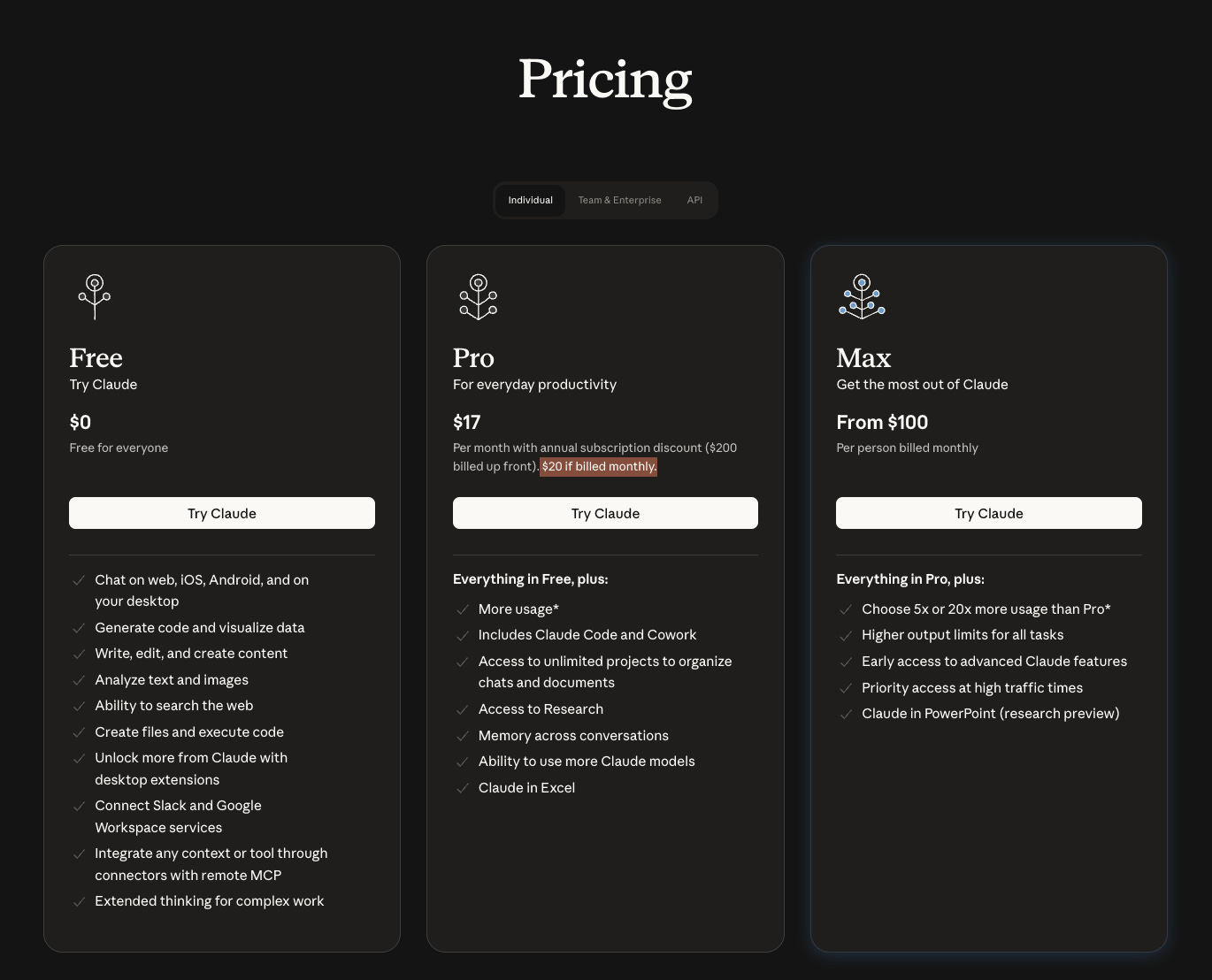
Cost predictability. Cursor’s credit system means your $20/month can quietly become $60-80/month if you manually select premium models. Claude Code’s tiers are fixed but jump sharply: $20, then $100, then $200. If you want a predictable bill, Claude Code’s tiers are transparent even if the jumps are steep. If you’re fine watching your usage, Cursor’s base price is lower but the ceiling is harder to predict.
Head-to-Head
Cursor
In one sentence: A VS Code fork that makes AI the co-pilot of every keystroke, from tab completions to multi-file agent mode.
👍 The Good:
Cursor’s tab completion is the feature that hooks people. It’s not autocomplete in the GitHub Copilot sense. Cursor’s model predicts your next edit, not your next line. If you’re renaming a variable, it suggests the rename across the function. If you’re adding a parameter, it suggests updating the call sites. Developers who spend 4+ hours daily in an IDE report 30-40% productivity gains from tab completions alone.
Multi-model flexibility is the other differentiator. Cursor lets you switch between Claude, GPT-5, Gemini, and Cursor’s own models mid-session. If Sonnet hallucinates on a tricky refactor, switch to Opus for that one task. If you’re burning credits on simple completions, drop to a cheaper model. No other tool gives you this kind of runtime model selection.
The built-in browser (now generally available) closes another loop. Frontend developers can see their changes rendered without leaving the editor. The inline diff view shows exactly what the AI changed, and you approve or reject each hunk. You never lose track of what happened.
👎 The Bad:
Cursor’s June 2025 pricing overhaul moved from request-based limits to a credit system, and the community hasn’t forgiven it1. Your $20/month Pro plan includes a credit pool. Auto mode (Cursor picks the model) is unlimited. But manually selecting premium models like Claude or GPT-5 burns credits fast. Heavy users report bills of $60-80/month without realizing they’d switched off Auto (ask me how I found out).
Performance degrades on large codebases. Multiple reviews report lag and freezes when working with repositories over 100K lines. The AI’s context window advertises 200K tokens, but Cursor fragments and re-ranks context before sending it to the model, which means the effective context for any single query is smaller than the headline number.
🚧 The Ceiling:
Cursor optimizes for interactive editing. When your task grows beyond “edit these files” into “design the architecture, implement it, write the tests, update the CI pipeline, and open a PR,” you’ll find yourself doing more prompting than coding. That’s the signal to reach for a more autonomous tool.
Cost: $20/month Pro (includes credit pool). $40/month Teams. $200/month Ultra. Credit overages are charged separately. Annual billing saves 20%.

Claude Code
In one sentence: An autonomous coding agent that takes task descriptions and executes multi-step plans across your entire codebase.
👍 The Good:
Claude Code’s strength is task autonomy. You describe what needs to happen in natural language, and it plans, executes, and iterates. It reads your codebase through CLAUDE.md (a project context file it generates and maintains), runs terminal commands, creates and edits files, runs tests, and loops until the task passes. For large refactors spanning dozens of files, this workflow is dramatically faster than approving changes one hunk at a time.
The tooling ecosystem is deeper than any competitor. Hooks let you inject custom scripts at 13 lifecycle events (before/after tool use, on session start, on subagent spawn). Subagents let you create specialized agents, a code reviewer that’s read-only, a test runner that can only execute, a security scanner with its own prompt. CLAUDE.md acts as institutional memory: project conventions, architecture decisions, directory structure. Skills load domain expertise on demand. The SDK (Python, TypeScript, CLI) means Claude Code plugs into CI/CD pipelines, GitHub Actions, and automation scripts.
In one developer’s head-to-head test2 , Claude Code completed a Next.js build with 33,000 tokens and zero errors. Cursor’s agent used 188,000 tokens on the same prompt: 5.5x more compute for comparable output.
👎 The Bad:
No tab completions. This is the single biggest reason developers bounce off Claude Code. If you’re used to Cursor or Copilot predicting your next edit as you type, Claude Code’s workflow feels like a different sport. You prompt, wait, review. There’s no ambient assistance while you’re writing code manually.
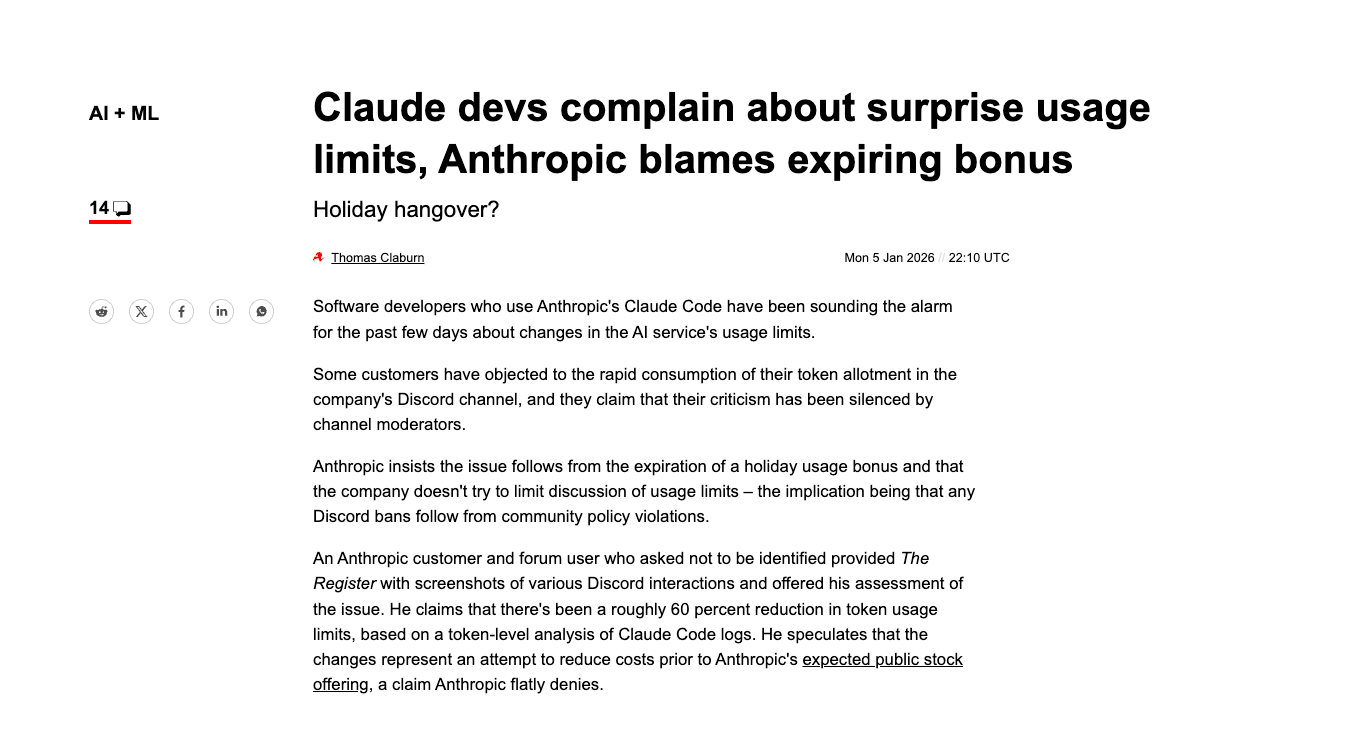
Usage limits are opaque. A 5-hour rolling window handles burst usage, and a 7-day ceiling caps total compute. The Register reported3 developer complaints about unclear limits in January 2026. The Pro tier ($20/month) can feel restrictive during all-day coding sessions. Power users effectively need the Max tier ($100-200/month) for sustained work.
It only runs Anthropic models. If Claude hallucinates, you can’t switch to GPT-5 for a second opinion. You’re locked into the Anthropic ecosystem.
🚧 The Ceiling:
Claude Code excels at well-defined tasks. “Refactor this module” works beautifully. “Figure out why this intermittent bug happens in production” requires the kind of exploratory, interactive debugging where an IDE with visual feedback has the edge.
Cost: $20/month Pro. $100/month Max 5x. $200/month Max 20x. Teams require Premium seats at $125/user/month for full Claude Code access.
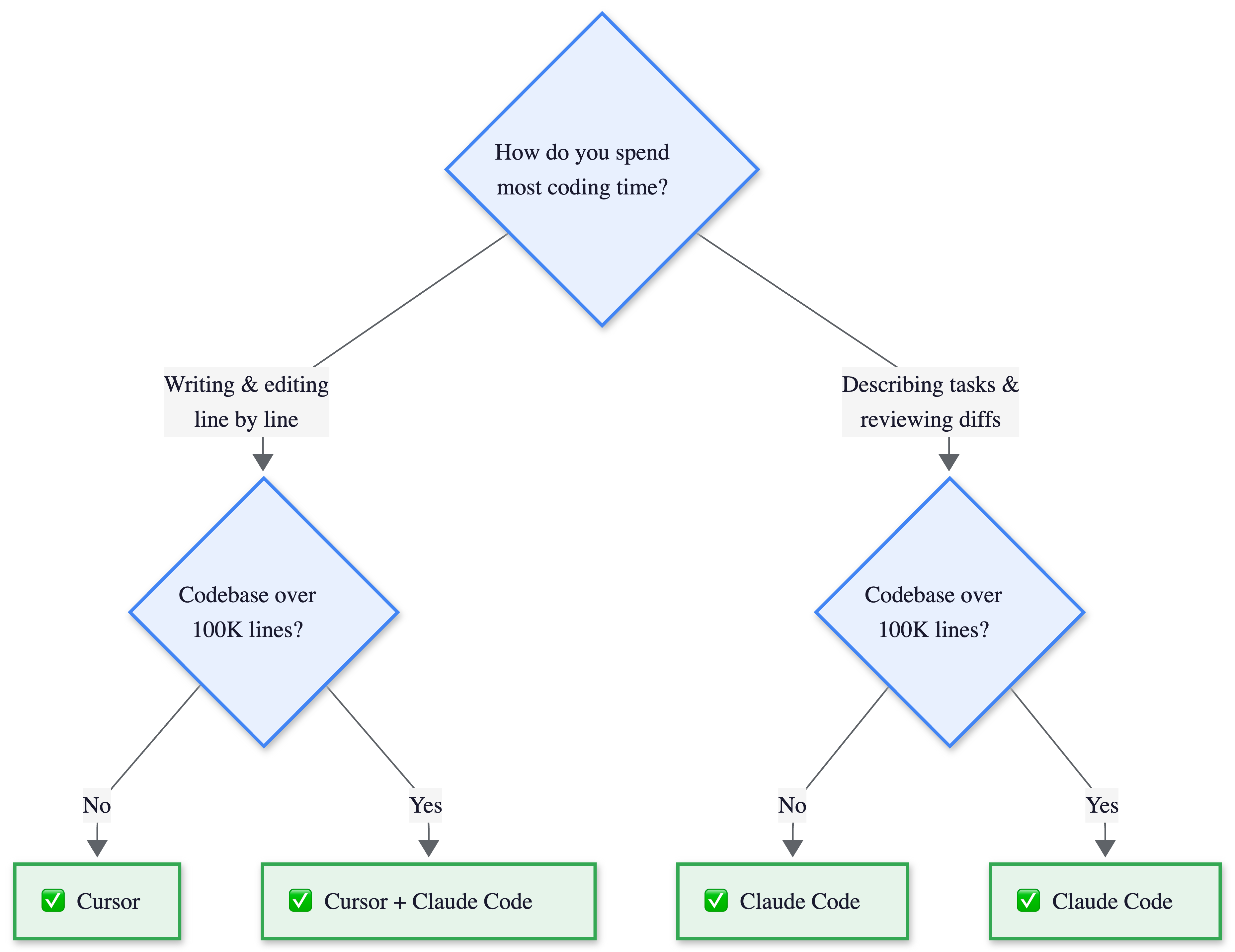
The Decision Flowchart
Two questions determine your tool.
Do you spend most of your day typing code or specifying what needs to change?
Is your codebase above or below 100K lines? Below that, either tool works and the choice is pure workflow. Above it, conventions matter, and the large-codebase path recommends both tools together.
📔 Deeper Look: The 5.5x token gap compounds over hundreds of tasks per month. Subscription pricing obscures per-task cost, but it explains why Claude Code users report fewer rate limit hits at the same tier.
The Hybrid Approach
The “use both” workflow is increasingly common, and at $40/month combined it’s cheaper than either tool’s premium tier.
The pattern: use Cursor for interactive editing sessions where you’re writing code, making quick fixes, and want ambient AI assistance through tab completions. Switch to Claude Code for larger tasks: multi-file refactors, infrastructure changes, CI/CD automation, and anything you’d describe as “do this thing” rather than “help me type this line.”
This is my daily setup. Cursor for morning coding sessions, Claude Code for afternoon refactors. The switch feels natural because the tasks are different.
💡 My Take: Cursor is your pair programmer who sits next to you. Claude Code is the senior engineer you hand a ticket to and check in with later.
This works because the tools don’t conflict. Claude Code’s CLAUDE.md lives in your repo. Cursor reads it too. Your project context is shared. The only friction is switching between windows, and many developers already split their day between terminal and IDE anyway.
When NOT to combine: If your team needs a single standardized tool for governance and billing, pick one. Running both creates procurement headaches at scale. Cursor at $40/user is a third of Claude Code’s $125/user Premium seat for teams.
The Honest Take
The METR study (July 2025) should make every AI coding tool evaluation pause. Sixteen experienced developers using Cursor Pro with Claude 3.5/3.7 Sonnet predicted AI would make them 24% faster. The measured result: 19% slower. A 43-point gap between expectation and reality.
This doesn’t mean the tools are useless. The study tested experienced developers working in codebases they’d contributed to for an average of five years, repositories averaging over a million lines. These developers were already fast. The AI’s unfamiliarity with implicit conventions, combined with time spent reviewing and correcting generated code, ate the productivity gains.
I’ve caught myself in this trap. Claude Code “finishes” a refactor in two minutes, then I spend fifteen minutes fixing what it got wrong. The net time was worse than doing it manually.
🏗️ Engineering Lessons:
Neither tool makes you faster by default. Both tools make you faster at specific tasks in specific contexts. Tab completions save real time on repetitive edits. Autonomous agents save real time on well-defined multi-file changes. But if you use either tool on every task indiscriminately, you risk the METR paradox: feeling faster while actually being slower.
The tool matters less than the workflow. Pick the one that matches how you already work, not the one with the most impressive feature list. The best AI coding tool is the one you actually use correctly, on the right tasks, with realistic expectations about what it can and can’t do.
Others Worth Knowing
The market is moving fast. GitHub Copilot just added Claude and Codex agents directly in VS Code. Windsurf is pushing autonomous workflows. In six months, the feature gap between these tools will narrow further. The workflow philosophy gap won’t. Three others worth watching:
GitHub Copilot ($10/month individual, $19/month business) remains the most widely adopted AI coding tool. It works inside your existing VS Code or JetBrains setup without replacing them. Since January 2026, it supports Claude and Codex agents alongside its own models. Best for teams that want minimal disruption and broad IDE support.
Cline (open source, bring your own API key) is a VS Code extension that brings Claude Code-style autonomous task execution into the IDE. No subscription, but you pay API costs directly. Best for developers who want agent capabilities without switching editors or paying a subscription.
Windsurf ($15/month Pro) pitches autonomous “Cascade” workflows and positioned itself between Cursor’s interactivity and Claude Code’s autonomy. Acquired by OpenAI in 2025. Best for developers who want agent workflows in an IDE without Cursor’s pricing complexity.
Where to Next?
📖 Go Deeper: “How Cursor Actually Works”: the architecture, the diff problem, the latency tricks behind the editor that codes for you. (Issue #4, this Thursday)
🔗 Go Simpler: “What is an AI Agent?”: the think-act-observe loop that powers both Cursor’s agent mode and Claude Code’s core workflow. (Issue #1)
🔀 Go Adjacent: “What is MCP?”: the new standard for connecting LLMs to tools. Think USB-C for AI models. (Issue #3, next Tuesday)
What's your setup? Pure Cursor, pure Claude Code, or the hybrid workflow? And if you've tried switching from one to the other, what broke? Hit reply or drop a comment below.
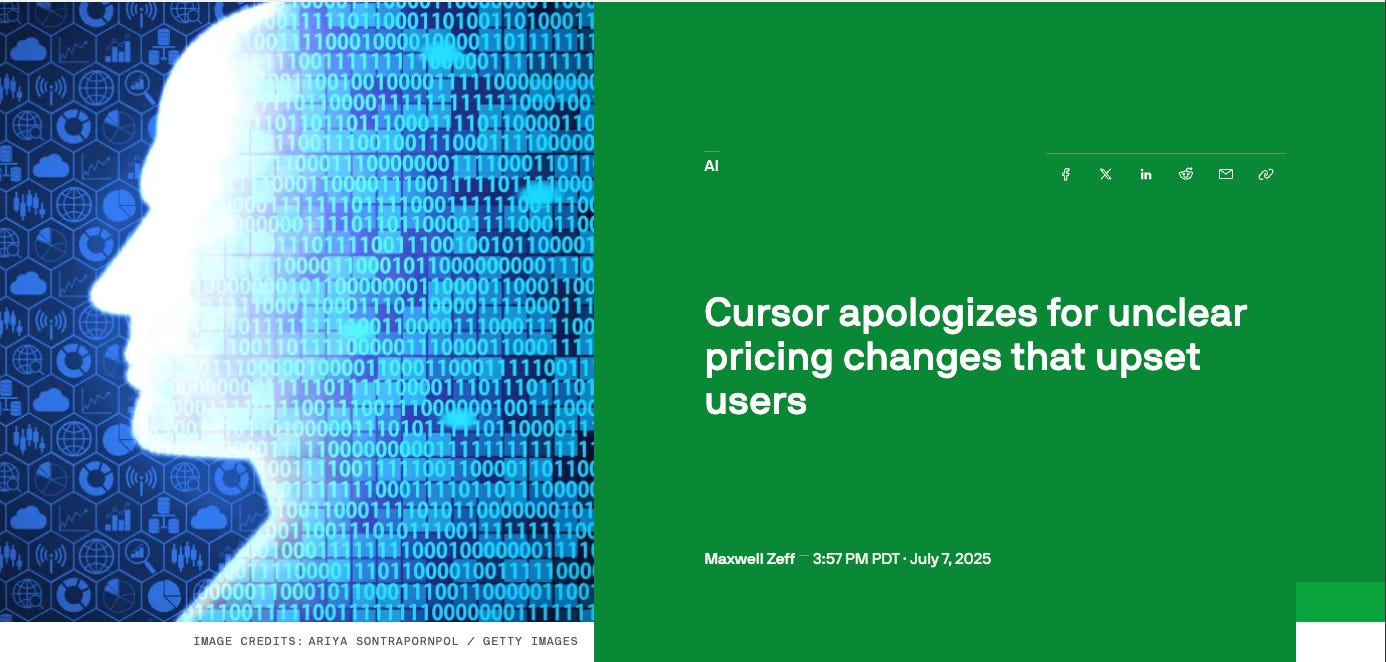
Cursor’s CEO issued a public apology and offered refunds for unexpected charges. TechCrunch coverage.
@iannuttall's head-to-head: same prompt, 30-minute timer, Next.js app. Claude Code (Opus) finished with 33K tokens and zero errors. Cursor's agent (GPT-5) used 188K tokens.

Developers reported hitting usage limits within 10-15 minutes of using Sonnet, with Opus becoming unavailable shortly after starting. Anthropic attributed it to the expiration of a holiday usage bonus. The Register.
Solid comparison. The bit about CLAUDE.md acting as institutional memory is the real unlock that most people gloss over. I've written extensively about configuring it and once you've got your project conventions, architecture decisions, and preferred patterns dialled in there, the agent behaves completely differently. It stops guessing and starts following your actual codebase norms. That single file is what turns Claude Code from a clever autocomplete into something that genuinely understands your project.
The METR study finding keeps haunting me - 19% slower despite feeling faster. I tested a similar split but with Codex instead of Cursor. The head-to-head on a real codebase audit revealed something the benchmarks miss: Codex reads holistically across files while Claude Code stays laser-focused on what you point it at.
When fixing Discord error handling in my agent codebase, Codex rewrote four related scripts I hadn't even mentioned. Claude Code fixed only the function I asked about. For autonomous overnight execution though, Claude Code has no competition - it handles plan-execute-deploy cycles for hours without human intervention.
Full comparison with specific examples: https://thoughts.jock.pl/p/claude-code-vs-codex-real-comparison-2026